
Guest Guide · Rubi 208
Projector & Movie Night
Four steps to the 120″ screen, the projector, Fire TV and the soundbar.
01 Movie Night
Projector Instructions
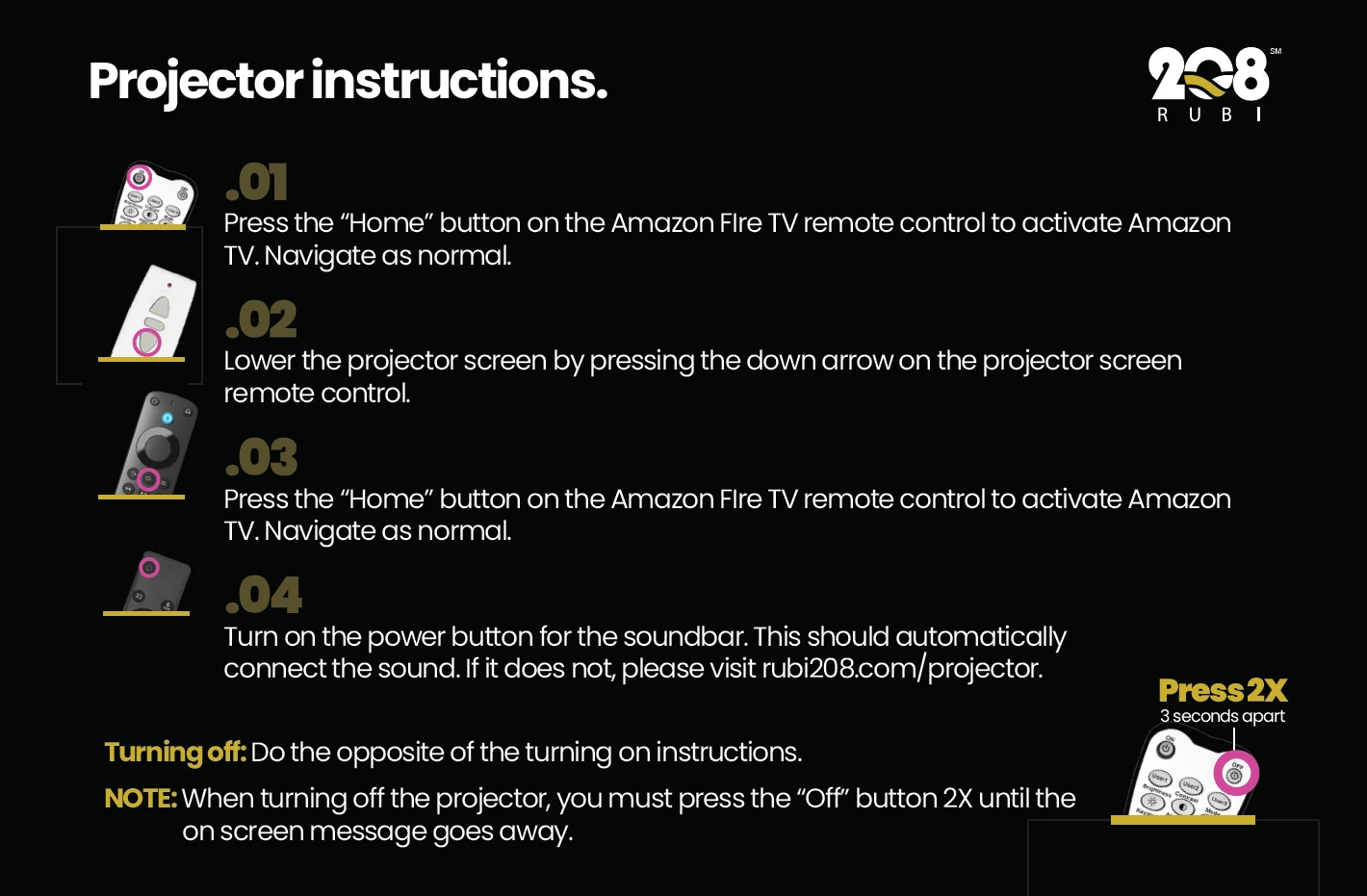
Turn on the projector
Press the “On” button on the projector remote.
Lower the screen
Press the down arrow on the projector screen remote to lower the 120″ screen.
Start Fire TV
Press the “Home” button on the Amazon Fire TV remote to activate Fire TV, then navigate as normal.
Turn on the sound
Press the power button on the soundbar remote. The sound should connect automatically.
Turning off: do the opposite of the turning-on steps. When turning off the projector, press the “Off” button twice, about 3 seconds apart, until the on-screen message goes away.
Sound not connecting? Contact Casago, on call 24 hours at 52 (638) 383-0700 or (602) 288-8966, or email hello@rubi208.com.
02 During Your Stay
Guest Guides
Quick help for your stay at Rubi 208. Questions anytime? Email hello@rubi208.com.